
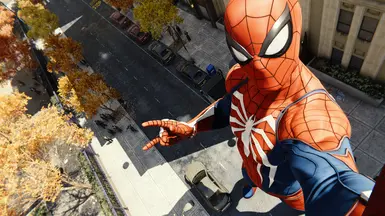

MOD介绍
转载自GameXpert Player Scale Mod for Spider-Man Remastered PC allows you to change the size (scale) of every suit and most playable characters. REQUIREMENTS This mod requires Spider-Man PC Script Hook to be installed. INSTALLATION Place PlayerScaleMod.dll and PlayerScaleMod.ini into the "scripts" folder in the game's root directory. USAGE To change a suit's or character's scale, open PlayerScaleMod.ini in any text editor and locate the suit/character using CTRL+F. Edit any of the xyz values. A value greater than 1.0 will make the player bigger than normal. A value less than 1.0 will make the player smaller than normal. Notes: x corresponds to width, y to height, and z to depth. If the xyz values are not all the same, the player will appear stretched. Negative values and extreme values could cause gameplay instability. To change the scale while the game is running (without having to relaunch the game), press the INSERT key once to unload the mod, and once more to reload the mod. Make sure that PlayerScaleMod.ini has been saved before reloading the mod. KNOWN ISSUES The player's scale is reset during swinging.