

MOD介绍
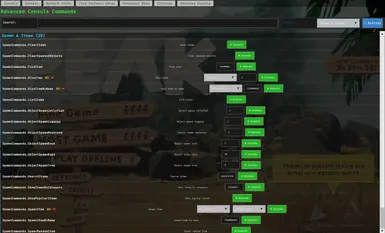
转载自keklick1337 Advanced console mod for PEAK with a modern UI and RPC-synced commands: teleportation, fun commands, item spawning, and etc. Press F1 and open Advanced Console tab Advanced Console for PEAK A comprehensive console mod for PEAK that adds numerous fun and utility commands. Press F1 to open the console and access both the traditional command interface and the new Advanced Console UI tab. Installation Install BepInEx 5.4.2403 for PEAK Download the latest release Extract DLL to PEAK/BepInEx/plugins/ Launch the game and press F1 to open console Key Bindings F1 - Toggle console on/off F2 - Reset console DPI to default (use if console display is broken after using ConsoleSettings.SetDPI) Using the Advanced Console Method 1: Advanced Console UI Tab (Recommended) Press F1 to open the in-game console Click the "Advanced Console" tab (appears alongside Hotkeys, Item Info, etc.) Use the visual interface to execute commands: Search: Type to filter commands by name or description Group Filter: Select a specific command category (Teleportation, Fun Commands, etc.) Command Interface: Each command has input fields for parameters and an Execute button Player Dropdowns: Automatically updated with curr...