

MOD介绍
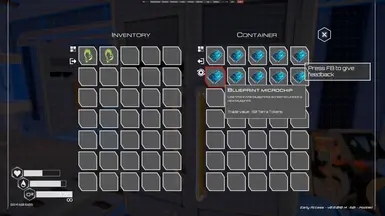
转载自cisox Allows you to set the trade value for items (including making untradeable items tradeable). Allows overwriting or setting the trade value for items. If an item isn't tradeable, it's trade value will be 0. Simply set that to some value to make it tradeable. The trade window doesn't show all tradeable items but once you hover over the item, you'll see the new trade value in the tooltip. Installation Install BepInEx 5.4.21 ( Windows , Linux ) Start the game, quit the game Find the BepInEx\config\BepInEx.cfg file, and in it, set HideManagerGameObject = true. Alternatively, install the Mod Enabler mod. Extract this mod into BepInEx\Plugins Configuration Once you start the game and load a world, the cisox.theplanetcraftermods.Tradeable.items.cfg is generated. This file contains every item in the game. Simply find the item you're looking for in the config, and set the trade value. As the game adds new items, those should get added automatically. cisox.theplanetcraftermods.Tradeable.items.cfg [code] ... BlueprintT1 = 50 ...[/code] Version history 1.0.0.0 Initial release